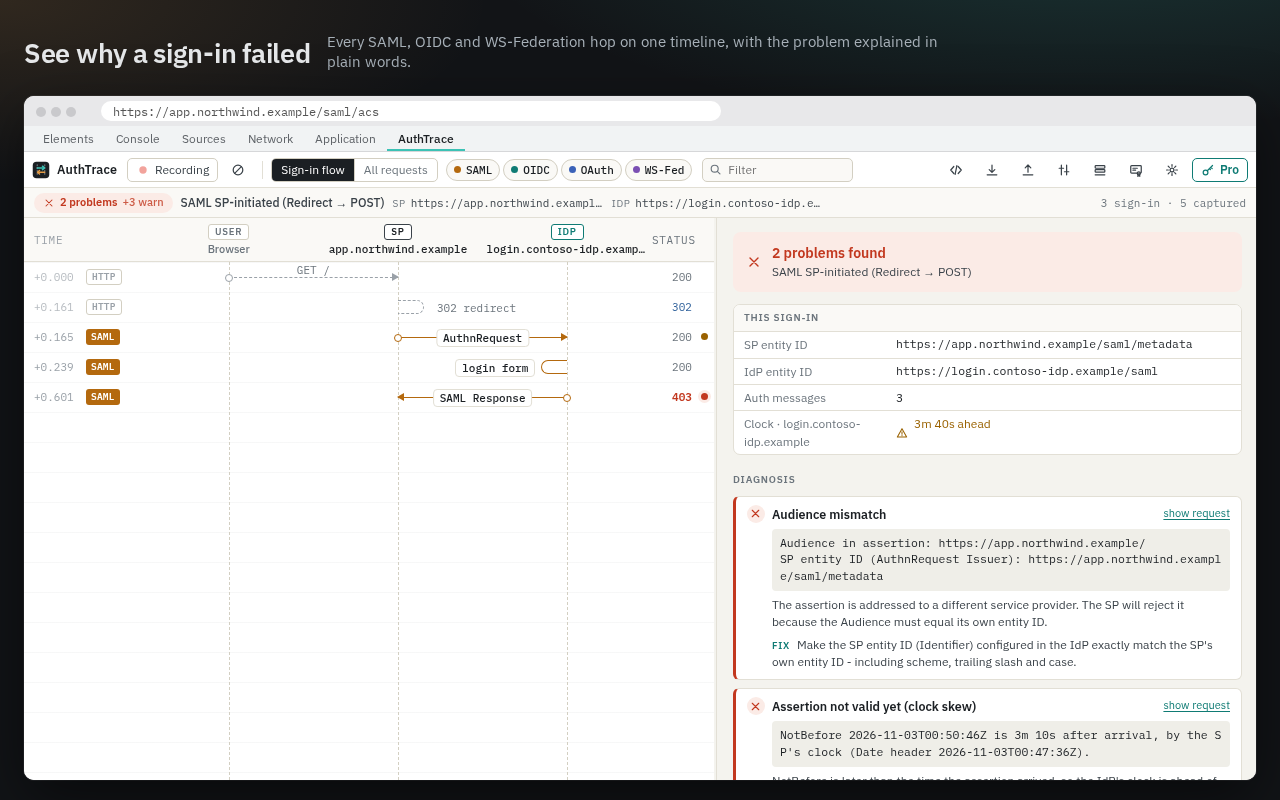
Open DevTools, sign in, read the diagnosis. No pasting tokens into third-party decoders, no switching tabs.
SAMLDecoded and highlighted
Redirect and POST bindings, SAMLRequest, SAMLResponse, RelayState and logout. Issuer, NameID, Audience, Destination, Recipient, InResponseTo and the validity window picked out for you.
SIGSignatures and certificates
Which element is signed, whether the signature verifies against the certificate in the message, SHA-1 and wrapping red flags, certificate subject, issuer, expiry and fingerprints.
OIDCTokens and PKCE
authorize, callback, token, userinfo, logout, discovery and JWKS. id_token and access_token claims with human times; PKCE verifier checked against the challenge; state and nonce matched.
WS-FedADFS and WS-Federation
wsignin1.0 requests and RSTR responses with SAML 1.1 assertions, AppliesTo vs wtrealm and token lifetime checks.
FIXPlain-words diagnosis
Each problem says what it means and what to change. Entra ID (AADSTS), Okta, Keycloak and Auth0 error codes explained.
HARDecode what users send you
Import a HAR file or a SAML-tracer export, or paste a SAMLResponse, JWT or URL into the decoder.